Claude Launches Office Suite, Microsoft Stock Drops Over 3% Midday
Claude Launches Office Suite, Microsoft Stock Drops Over 3% Midday

2026-11-12 14:00
Introduction: Anthropic aims to turn the AI chat interface into the new work gateway. Anthropic hasn't even rung the IPO bell yet, but Microsoft is already feeling the pressure.
Anthropic hasn’t even rung the IPO bell, and Microsoft is already feeling the pressure.

Anthropic has been ramping up its release pace lately. Fable 5.2 just debuted, and today it rolled out a full suite of office functionalities for Claude—including spreadsheets, whiteboards, data analysis, and even plans to integrate directly into video meetings.

After the announcement, Microsoft’s stock dropped over 3% intraday, closing down 2.2%. Internet users began joking wildly, teasing that Claude is preparing to disrupt Microsoft’s decades-long Office business.

Some users joked that people who never learned how to use Word or Excel properly can now say, “I didn’t learn because I was right all along.”

Jokes aside, Anthropic has clearly extended its reach into the territory of traditional office software.
The newly launched Claude Sheets, Whiteboards, and Data allow us to create spreadsheets, draw on whiteboards, and analyze data directly within Claude. Upgraded Interactive Connectors now enable seamless operations across third-party apps like Notion and Confluence—all within a single interface.
Claude Meetings, soon to be released, will also join video conferences directly, automatically organizing discussion points into action plans, tasks, and documents in real time.
Previously, we’d generate content with Claude and then copy it into other tools for further editing. Now, Anthropic envisions an end-to-end workflow—from idea brainstorming to document generation, spreadsheet creation, revision, and sharing—all centered around Claude.
Although these new tools aren’t ready to fully replace Office—Claude Sheets still falls short of being a mature Excel alternative—Microsoft investors are already concerned about whether future users will need to open Excel at all.

Evidently, Claude is now vying for Microsoft’s most critical stronghold: the primary entry point for daily work after users open their computers.
Reinventing Excel, and doing spreadsheets with Claude
Claude Sheets is a spreadsheet stored within Claude Artifacts. We can instruct it to build activity trackers, recruitment budgets, or sales forecasts—or start from a blank sheet. Claude can add multiple sheets, write cross-sheet formulas, apply standard and conditional formatting, insert dropdowns, checkboxes, and charts.
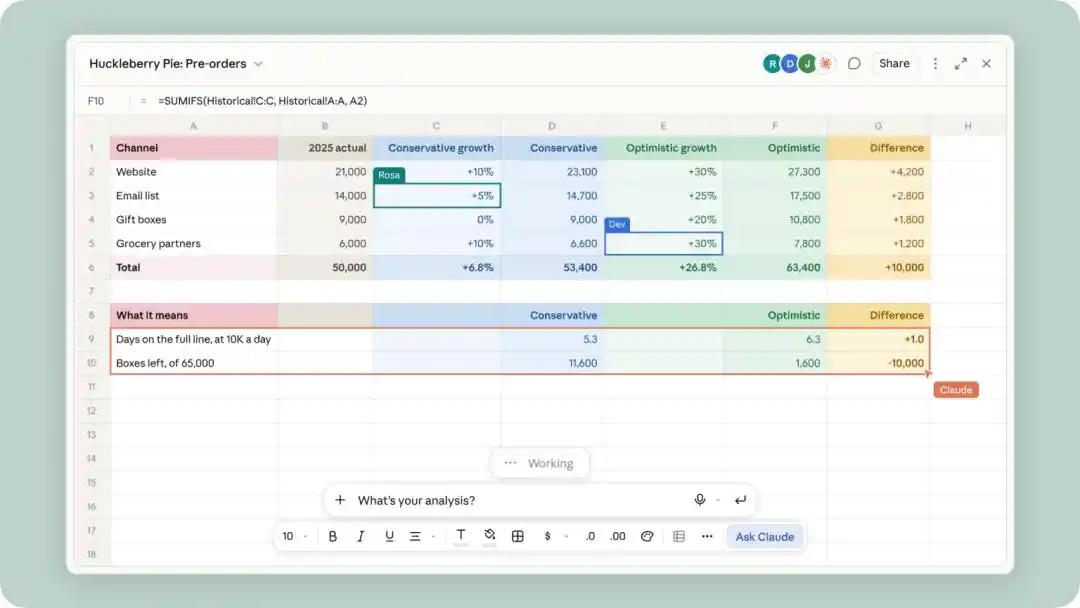
The key difference from past approaches—“AI generates an Excel file”—is that the work doesn’t end once the spreadsheet is created.
Team members can edit the same cells in real time, and Claude can continue modifying them, using outlines to highlight every change. Formulas remain embedded in cells, allowing users to audit calculation logic; when issues arise, users can select a region and ask, “Why is this total higher than last month?”
Sheets supports importing CSV, Google Sheets, and Excel files, as well as pasting content from Excel or Google Sheets. When migration is needed, exports are available in .xlsx or CSV formats, or can be sent directly to partner tools like Airtable, Asana, monday.com, and Smartsheet.
However, Claude Sheets cannot yet be considered a complete Excel replacement.
Officially positioned as lightweight and collaborative, Sheets limits each sheet to 100,000 cells and does not support pivot tables, macros, VBA, Power Query, DAX, or real-time data connections. Mobile access is currently limited to read-only views.
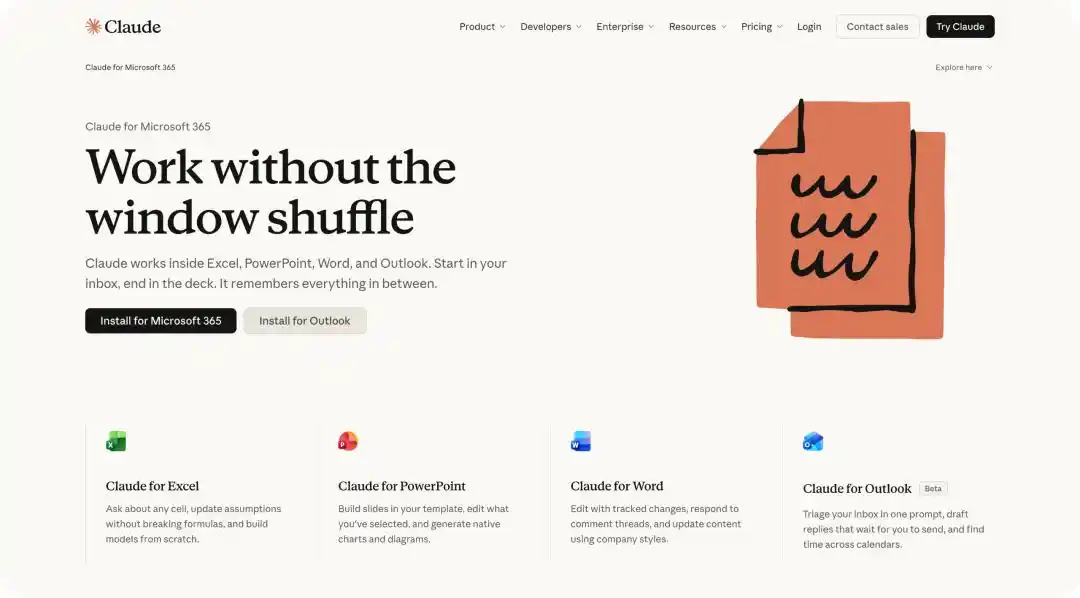
Image | Previous Claude feature connecting to Office
Thus, the current practical use case is better suited as a rapid draft and light collaboration layer—not a place to migrate core financial models, production data pipelines, or highly regulated datasets.
Anthropic’s product lead Nicholas Lin told media that Sheets is currently “fairly basic” and not designed for complex financial modeling; for full professional functionality, Claude for Excel or Claude for Google Workspace is more appropriate.
Visualizing the discussion process
Whiteboards target another common scenario: teams know what needs to be discussed but lack a clear solution.
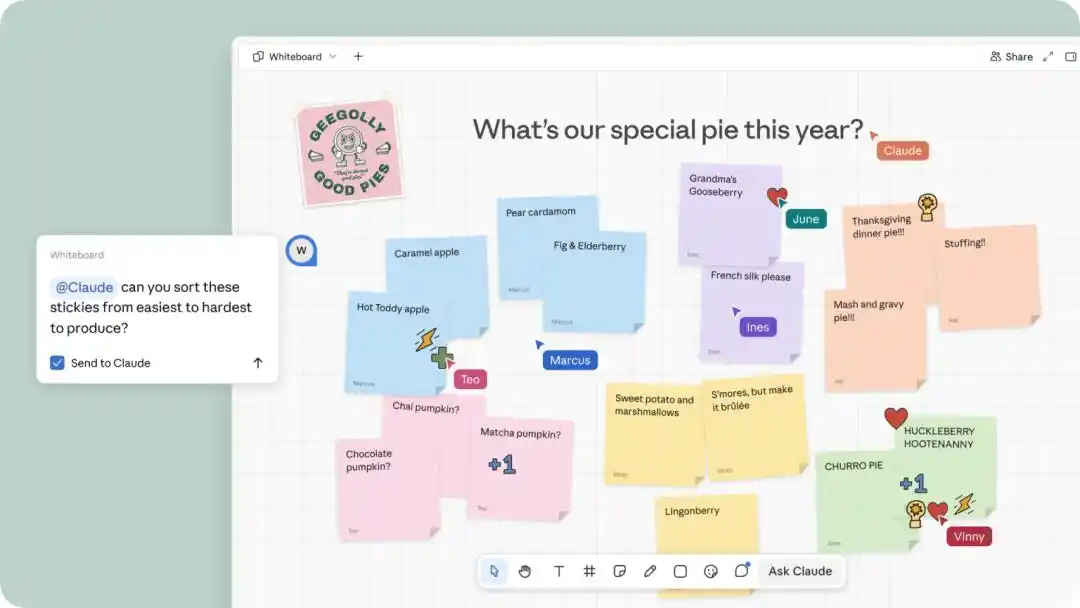
We can voice a chaotic idea, input text directly, or sketch freely on the canvas. Claude organizes content into thematic groups, workflows, dependencies, or timelines using shapes, arrows, and partitions.
During retrospectives, team members can add notes individually, then have Claude cluster by topic and draft individual action items. If only part of the board needs attention, users can simply select a region instead of forcing AI to redraw the entire board.
Once the structure is stable, Whiteboards can be converted into documents or presentations, shared with Lucid, Miro, or Zoho Vani for further editing. For simple saving, PNG export is supported. It also features simplified Chinese speech-to-text transcription and enables real-time collaboration with live view-following per user.
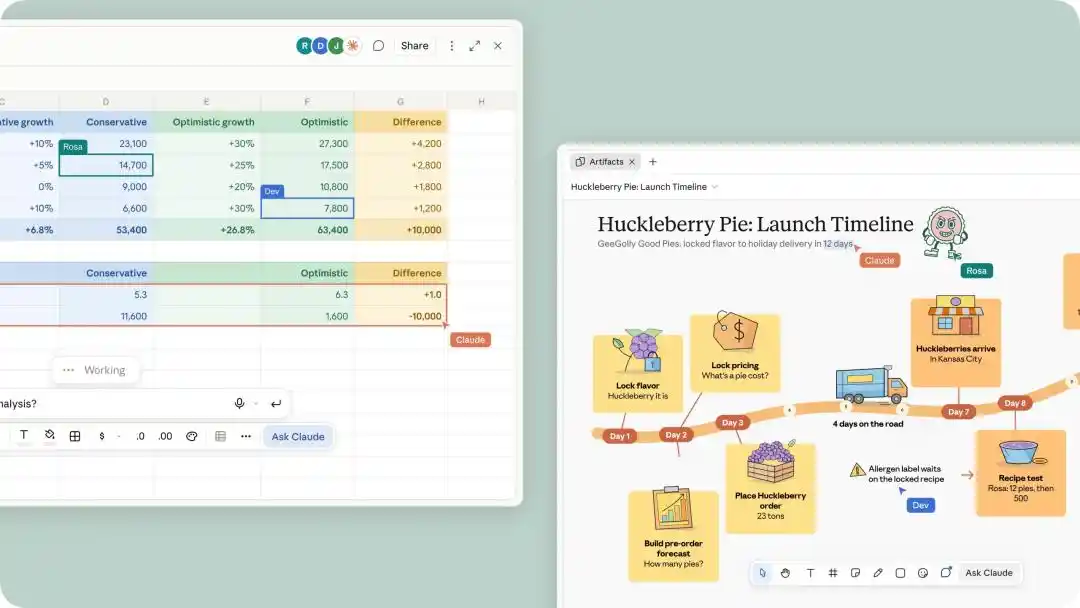
Whiteboards serve nascent thinking—ideal for product launch planning, trade-off evaluation, process structuring, and post-mortems. Claude primarily works based on content on the board and does not automatically leverage context from connected applications. Images and videos can be added, but entire existing whiteboards cannot be imported from files.
In terms of workflow, Whiteboards’ value lies more as an “AI-assisted curation layer,” rather than competing solely on pen strokes or templates against tools like Miro.
From ‘making kanban’ to unified alignment and result sharing
Claude Data is the rebranded name for the former Claude Dashboards, now transitioning from beta to general availability.
After connecting to data warehouses, CRM systems, and other sources, users can directly ask, “How do monthly channel sign-ups compare to last month?” Claude will generate and execute SQL queries, producing dashboards, written data narratives, or voiceover videos. Each chart displays its underlying query and last refresh timestamp, enabling users to understand exactly how the numbers were calculated.
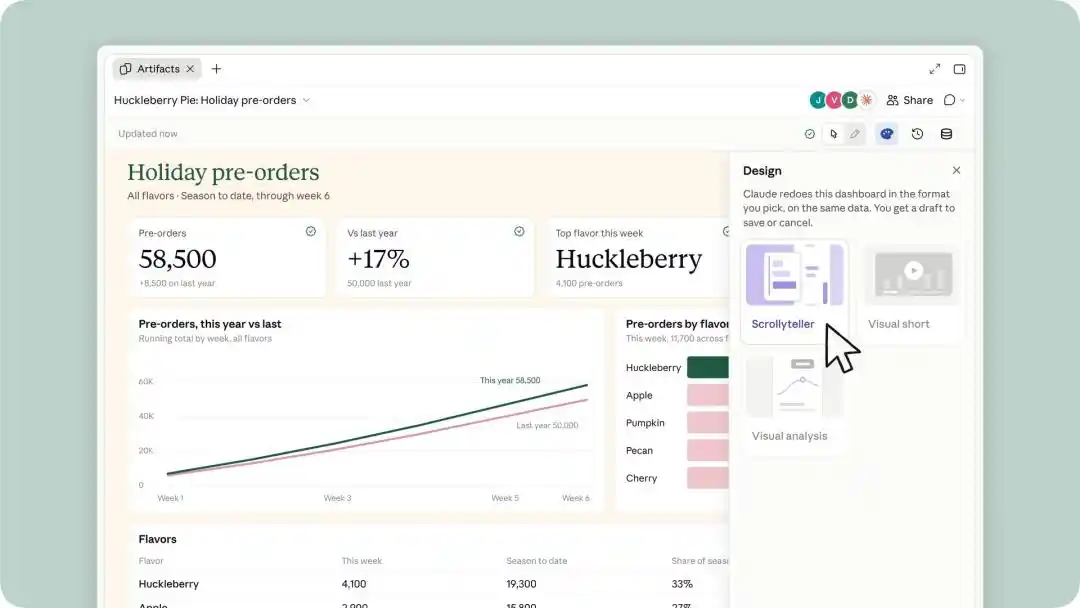
The two most notable beta capabilities for data teams are:
First, Certified Queries (Verified Queries). Data teams can approve specific metric definitions. Claude will reuse these verified queries when building charts and tag them with a certified mark, reducing discrepancies caused by different teams calculating the same metric differently. It can also leverage existing MCP connectors to reuse definitions from dbt, Looker, or Cube.
Second, Live Sharing (Real-Time Collaboration). Without this feature, shared dashboards rely on each viewer’s own connections and permissions. With Live Sharing enabled, internal viewers see results and saved states under the sharer’s permissions—even if they don’t have identical connector access themselves.
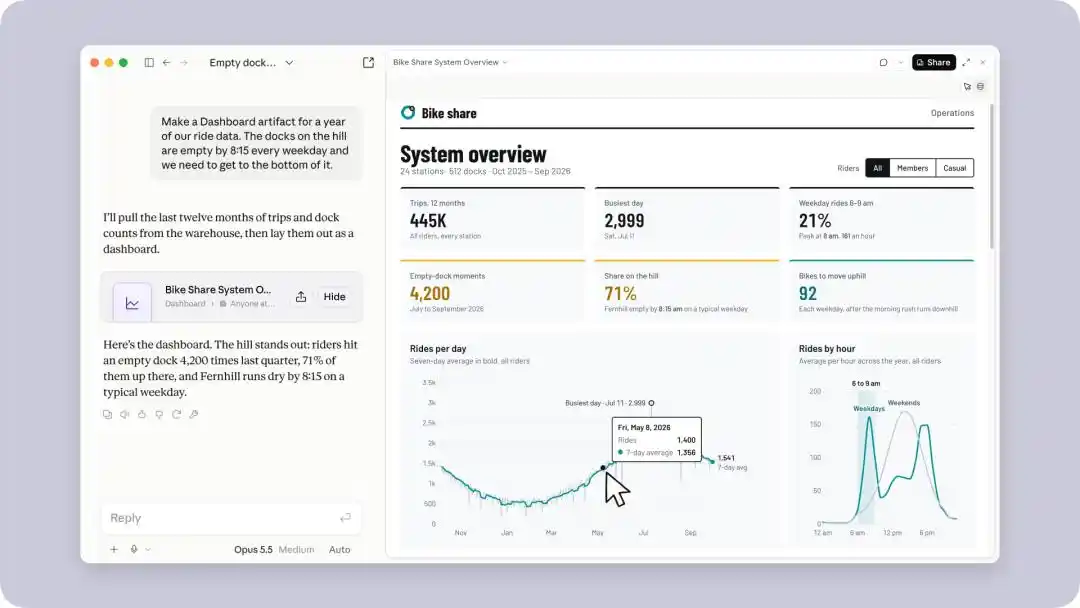
Viewers only access the precise queries required by the dashboard. Any query changes require approval from the editor—no free exploration using others’ permissions.
In addition, Data now includes caching, configurable refresh schedules, version rollback, and design system support. While it still can’t fully replace the deep analytical capabilities of professional BI platforms, Claude Data is increasingly suitable for rapid exploration and data communication.
Tools live inside Claude
If Sheets and Whiteboards keep work within Claude, then Interactive Connectors take Claude outside—into existing team files and applications.
After upgrades, supported tools can open full interfaces beside the conversation or in full-screen mode. Users can operate manually or instruct Claude to modify the current page, row, or file—subject to the connector’s approval workflow. For Confluence or Notion, users see their own logged-in editor interface, not a restricted preview.
Demonstrated use cases include: having Claude write and edit content on a Confluence page, revise and compare versions in Box, create documents or databases in Notion, organize sales follow-ups in HubSpot, and edit images or PDFs using Adobe.
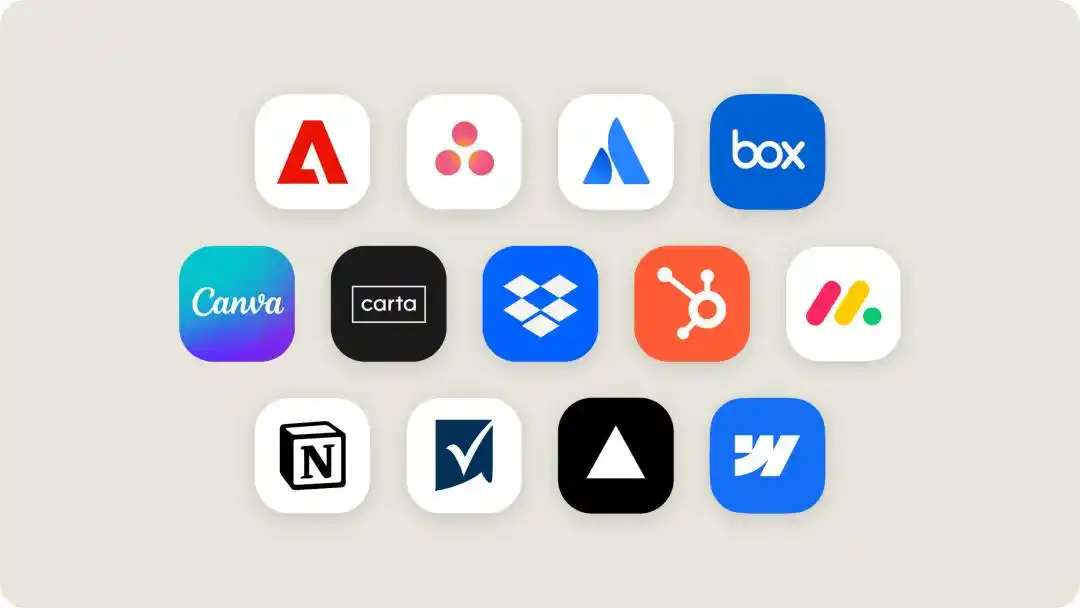
Initial supported tools include Asana, Canva, Carta, Dropbox, monday.com, Smartsheet, Vercel, and Webflow; Figma, Harvey, and Shopify are also building integrations.
Claude is entering the meeting room too
Claude Meetings aims to shift the workflow from “post-meeting cleanup” to “real-time output generation during discussions.”
This is a feature not yet publicly released. According to TechCrunch, Claude can join video calls as a visible participant, drafting plans, assigning timelines and owners to the whiteboard, answering questions in the chat, and retrieving information via connected applications while the conversation unfolds.
After the meeting ends, notes, action items, and generated materials are saved to claude.ai.

Claude also identifies participants and posts notifications in the chat. External guests can only join if explicitly authorized by administrators; if they join mid-session, Claude automatically leaves.
This series of updates in the workplace reflects Anthropic’s effort to extend the Claude Code workflow beyond technical teams into broader organizational use.
Previously, we had to switch between different tools ourselves—turning ideas into documents, data into spreadsheets, and discussion outcomes into tasks. Now, Anthropic wants all of this work to revolve around Claude, with humans only needing to specify requirements, review outputs, and confirm edits.
And Claude no longer just delivers answers—it begins participating in the entire process of turning answers into tangible work products.

Naturally, professional software like Excel and PowerPoint has accumulated decades of functionality—Claude cannot yet fully replace them. Enterprises won’t abandon established workflows lightly.
But Anthropic doesn’t need to wait for that day. Users can continue using their original Office, Notion, and Confluence—but increasingly, more work may begin right inside the Claude chat interface.

After all, for Claude, if all work can be completed entirely within the Claude app, why connect to external platforms at all?
Source: iFanr
Disclaimer: Contains third-party opinions, does not constitute financial advice


The AlphaGo Moment in Cybersecurity, or Starting from These 466 Agent Matchups
7 days ago
Yushu Surges 629% on First Day of Trading, Humanoid Robots Sell 5,500 Units
08-19
Yushu's 61 Billion IPO: Who Will Make Money?
08-07
AI stocks down 40%-60%, yet NVIDIA's valuation is at a 10-year low
08-06
HBM Bottleneck Migration, NVIDIA Also Aims to Downgrade
08-06
AI Servers Fuel Demand for Minor Metals: Prices Surge Over 70% in Half a Year
08-06
AI is not a search bar—it's a supercomputer costing just a few dozen dollars
08-05


