ArtCraft – An Open-Source AI Image and Video Creation Studio, Solving the Challenge of Uncontrollable Output
ArtCraft – An Open-Source AI Image and Video Creation Studio, Solving the Challenge of Uncontrollable Output

2026-10-14 13:49
Introduction: What is ArtCraft? ArtCraft is an open-source AI image and video creation studio.
What is ArtCraft?
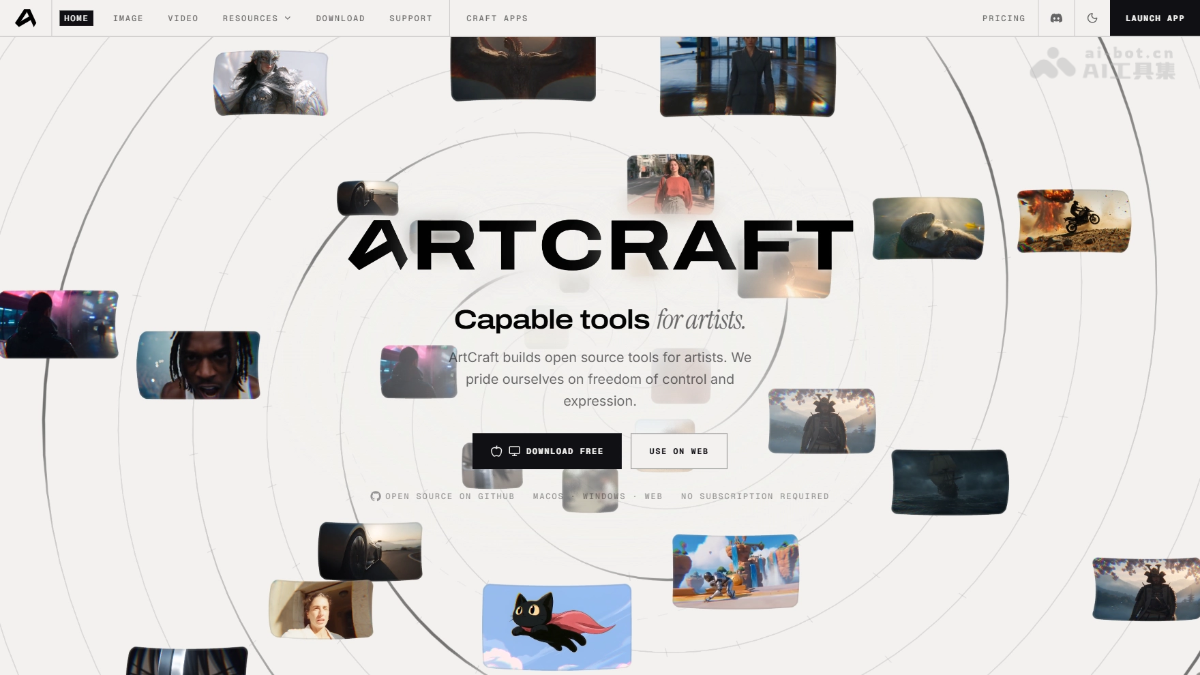
ArtCraft is an open-source AI imagevideo creation studio. ArtCraft embeds virtual actors into real-world environments, composites assets in 3D space, and manipulates 3D figurines to control camera angles—addressing key pain points of uncontrolled AI generation and inconsistent character-environment alignment. At the same time, it retains lightweight functionalities such as prompt-based rapid generation, instruction-driven editing, canvas manipulation, and image-to-video conversion.
Core Features of ArtCraft
- Scene Positioning: Embed virtual actors into real environment photos, ensuring consistent character positioning regardless of camera angle.
- 3D Compositing: Place backgrounds, foregrounds, and props into a depth-aware 3D space, with automatic handling of perspective, occlusion, and lighting.
- 2D Compositing: Layer-based composition + one-click matting + brush tools for direct on-plane layout design.
- Image-to-3D Model Conversion: Transform ordinary photographs into rotatable, precisely locatable 3D mesh objects.
- Character Pose Control: Position 3D figurines and adjust camera settings before generating final output images.
- Scene Construction: Build scenes like LEGO using pre-packaged 3D asset libraries to plan camera positions, character movements, and depth layers.
- Identity Transfer: Use a posed 3D figurine as reference to transfer poses and positioning to AI-generated characters.
- Background Removal: One-click extraction of subjects or figures for reuse as props, layers, or backgrounds.
- Hybrid Material Creation: Seamlessly mix and arrange images, 3D meshes, and scene models within a single frame.

Follow WeChat and reply “open source” to join the AI Open Source Project Community
How to Use ArtCraft
- Download & Install: Download stable Windows/macOS versions from GitHub Releases; Linux users must compile from source code.
- Launch & Login: Open the ArtCraft desktop client and complete account login as prompted.
- Model Configuration: Enter API keys for required models in settings, or directly use integrated external services such as Grok, Midjourney, Sora, etc.
- Select Workflow: Choose “Rapid Generation” for quick outputs, or “Advanced Creation” for visual studio-level control.
- Build Scene: Import environment photos or assets, position characters and props in 3D space, adjust poses, camera angles, and layer compositions.
- Generate Content: Click generate—ArtCraft will invoke selected AI models based on your constructed scene to produce images or videos.
- Iterate & Refine: If unsatisfied, return to the canvas and locally modify results via masking, inpainting, or instruction-based editing.
- Export Final Output: Export finalized images or videos for downstream production use.
Core Advantages of ArtCraft
- Control Prioritization: Build scenes upfront before generation, resolving the root issue of random, uncontrollable AI output.
- Multi-Camera Consistency: Virtual actors remain fixed within real environments, eliminating "floating" camera choreography in film pre-visualization.
- Precise Character Pose Control: 3D figurine posing + identity transfer enables animators and storyboard artists to lock down actions prior to generation.
- 3D Spatial Compositing: Automatic handling of perspective, occlusion, and lighting provides greater realism than 2D layer tools.
- Rich Model Ecosystem: 62 model directories + integrations with external services like Grok, Midjourney, Sora—select models per need.
- Dual-Mode Design: Prompt-based exploration + crafting-mode refinement—covers both fast prototyping and meticulous finalization.
Project Links for ArtCraft
- Official Website: https://getartcraft.com/
- GitHub Repository: https://github.com/storytold/artcraft
Competitive Comparison with Similar Tools
| Dimension | ArtCraft | Midjourney |
|---|---|---|
| Product Form | Open-source desktop studio, IDE-style creation | Closed-source online service, prompt-driven generation |
| Core Philosophy | Scene-first generation—control prioritized | Text prompts + style parameters, lottery-style generation |
| Control Precision | High—3D positioning, pose, camera angle, and occlusion fully controllable | Low—composition relies on prompts and reference images, high randomness |
| Consistency Capability | Strong—characters can be fixed across multiple camera angles in the same environment | Weak—maintaining consistent characters/scenes across images is challenging |
| Usage Cost | Open-source and free (model APIs self-funded), supports local compilation | Subscription-based pricing (~$10/month starting), no free tier |
| Model Selection | 62 model directories, multi-brand switching available | Limited to proprietary model series only |
| Video Capabilities | Built-in image-to-video, integrates multiple video models | Video function exists but with limited options |
| Secondary Development | Yes—MIT/Apache-2.0 dual-license open source | No—closed ecosystem |
| Target Audience | Film pre-visualization, animation storyboarding, professional creative teams | Inspiration exploration, social media content, individual hobbyists |
Use Cases for ArtCraft
- Film Pre-Visualization (Previs): Construct scenes with 3D assets, position cameras, and choreograph actor movements before shooting—low-cost validation of storyboards.
- Animation & Storyboarding: Transfer poses from 3D figurines to AI-generated characters for rapid production of coherent action sequences in storyboards.
- E-commerce & Advertising Visuals: Anchor products into unified scenes for multi-angle presentation, ensuring consistent visual style across promotional materials.
- Game Concept Design: Rapidly build world-building scenes by blending 2D assets and 3D meshes to explore artistic directions.
- Short Videos & Social Media: Convert a single image into video with one click, enabling bulk production of cinematic, camera-motion-rich short-form content.
Source: AI Tools Hub
Disclaimer: Contains third-party opinions, does not constitute financial advice


Step Code – The Open-Source Terminal Programming Agent by Jieyue Star
09-24
Hy4 Preview Lightweight Version – Tencent Hunyuan's Open-Source Hy4 Quantized Compression Model
09-02
Claude Fable 5.1 – Anthropic's Latest Flagship Large Model
09-02
Open-source Retool is here, drag-and-drop backend with 60+ components
08-19
Claude Opus 5 is Here: Half the Price Approaching Fable 5
07-25
Tencent Open-Sources 260 Real-World Tasks to Test AI Workforce Capabilities
07-25
Meituan Open-Sources AI Exam Platform: 813 Minecraft Tasks
07-25


